Feeds:
Posts
Comments

Posts Tagged ‘knitting charts’

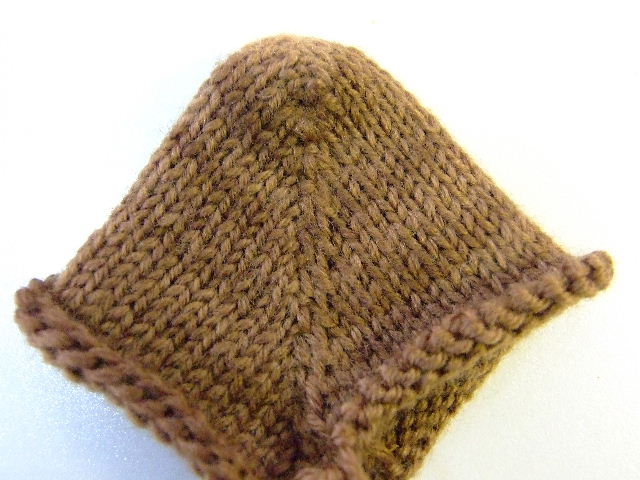
As I was working on my new design for a felted Chess Board, I decided to experiment on some tension issues.  Being that the felted project did not require a perfect tension, I decided this was the perfect time to try to examine different way to hold the yarn.  Now, up front, I will tell you that I have a hard time with my left hand as I am loosing the sensitivity I once had to control the yarn.  In the past I have been able to maintain even tension in my knitting simply by making one wrap around my little figure.  It worked for my single knitting, stranded knitting with both hands, and double knitting.  Now, however, it isn’t working as well, and I knew I would have to come up with something more reliable.

Below is a picture of what happened when I used my old system.
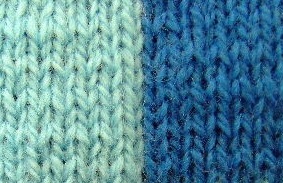
You can see the contrast between the tight and loose rows.  This causes what I call, the “wave” affect.  It is not very attractive, to say the least.

The second picture is the result of one extra wrap around the little figure of my left hand.  The tension is more even, and I feel that I am heading in the right direction.  Will it ever be perfect?  Probably not. Ugh!   But…. then, I’m not a machine.

Coming Soon!

Here is a picture of the large version of my felted/ fulled Chess Board

This board was knitted  using Patton’s Classic Wool.  It finishes to about 20 by 20.

The sample at the top with the two shades of blue will full /felt to about one inch squares, yielding a board that will be between 11-12 inches square.- perfect for small Chess sets.

The pattern will include a detailed chart, and instructions.

Here is a sample of the chart.

Check back if you are interested.  I will be putting it on the shelf in my Etsy store soon.

Knit-tweaker

Read Full Post »

As I promised a while back, I have been working on a tutorial that gives you the process of how to work with the Cable Chains to make a diamond pattern on a flat surface.  Why?  This great little stitch opens a world of possiblities for design.  Once learned, this particular pattern can be applied to sweaters, scarves, socks-  you name it. 

 I am in the process of developing a line of 16 inch  pillow designs using these and various other unusual stitches.  When I am ready, which I hope will be soon,  I will add a page entitled “The Design Gallery.”  If you are interested, you will be able to check there for the available patterns and contact me directly if  you wish to purchase one.   All the tutorials for these designs will be free.

This offering is a practice piece, similar to the Wandering Chains tutorial,  accept that it is a little more complex, and it is more geared toward the other designs I have in mind. 

 I don’t know if you checked out my post on ” Painting with Yarn,” but if you have, you saw the Iris Motif I designed.  That particular piece is one that will be included in my pillow collection. 


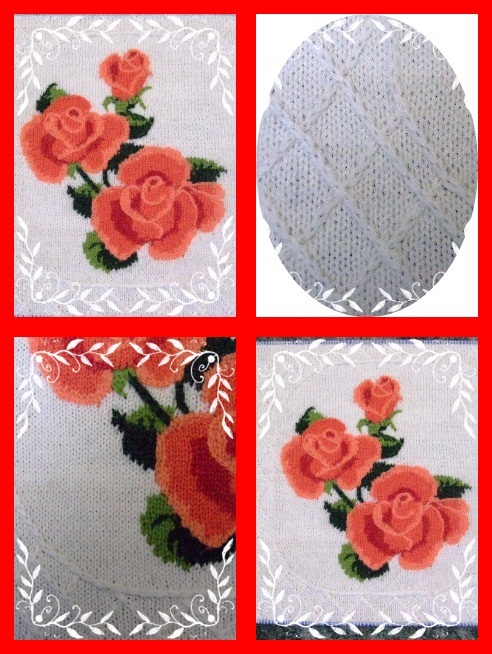
Also, included in this collection, will be my Tropicana Rose design, pictured on the left.

For now, we will call this offering an introductory sample.  or….., perhaps, something to peak your creative juices.   Or….. , well….. something like that!

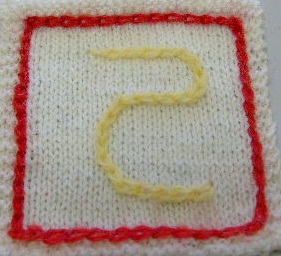
I hope you like it.  One more thing-you don’t have to do the letter in the middle, you could put whatever you like in it’s place.

 I have included a chart  in the tutorial, that will give you a visual layout, and have tried my best to walk you through the process with pictures and illustrations, along with written  instructions, row by row.   Fell free to download and print it off.

Cable Chain Tutorial and Chart 

Read Full Post »

Lately, I have been playing around with what I term as Wandering Cable Chains.   Why this term?  First, the stitch itself appears as if it is a crocheted chain laying on top of the knitted surface.  Secondly,  the method of moving the stitch is similar to when you work a “Cable” pattern; hence the term “Cable Chains.”  The “wandering” part, is the ability to take this chain st anywhere you want. 

 This stitch has enabled me to created many differents special affects for my lastest project-Needlepoint Knitting.  It can be used to outlines sections of any Intarsia design(if you like the smooth edge look),  draw designs on plain stockinette background, and best of all it is a great cover-up st for decreasing a very busy pattern on a raglan sleeve design.   The pictures below show just  a few possiblities for their use. 

This pillow top is one of my lastest Needlepoint Knitting designs. You can see that I have used the Wandering Cable Chain to create an oval frame and textured design around my roses.  Below is a close up of the detail in the frame of my Tropicana Rose Pillow.  You can see the chains forming  lattice work around the oval frame of the design.

 Below is another application of this technique.  This diamond design can be applied to sweaters or any flat surface.  I will be posting this pattern soon. 


Here is a example of how I used this stitch to cover the necessary decreases in this complicated pattern.

 But for now, I decided to post a tutorial that explains the process, and gives you a chance to play around with it.

This sample is just a swatch I played around with.  You will notice that it is not centered, that is because I was indeed just wandering around with my chains.   However, the pattern that I have in the tutorial is centered.  There are 14 pages of  written instructions and pictures,  as well as a chart that will give you a chance to try it out.  The chart on the last page has the symbols that I will be using in all my Needlepoint knitting patterns. 

I hope you have as much fun as I had working with these chains.

Wandering Cable Chains Tutorial

Please feel free to contact me if you have any questions.

Read Full Post »

I just ordered my yarn to make a Lavender and Black pair of the Double Knit Slippers.  But, when I was thinking about the color my thoughts went to an Iris, instead of a rose. Hummmmmmm…….?

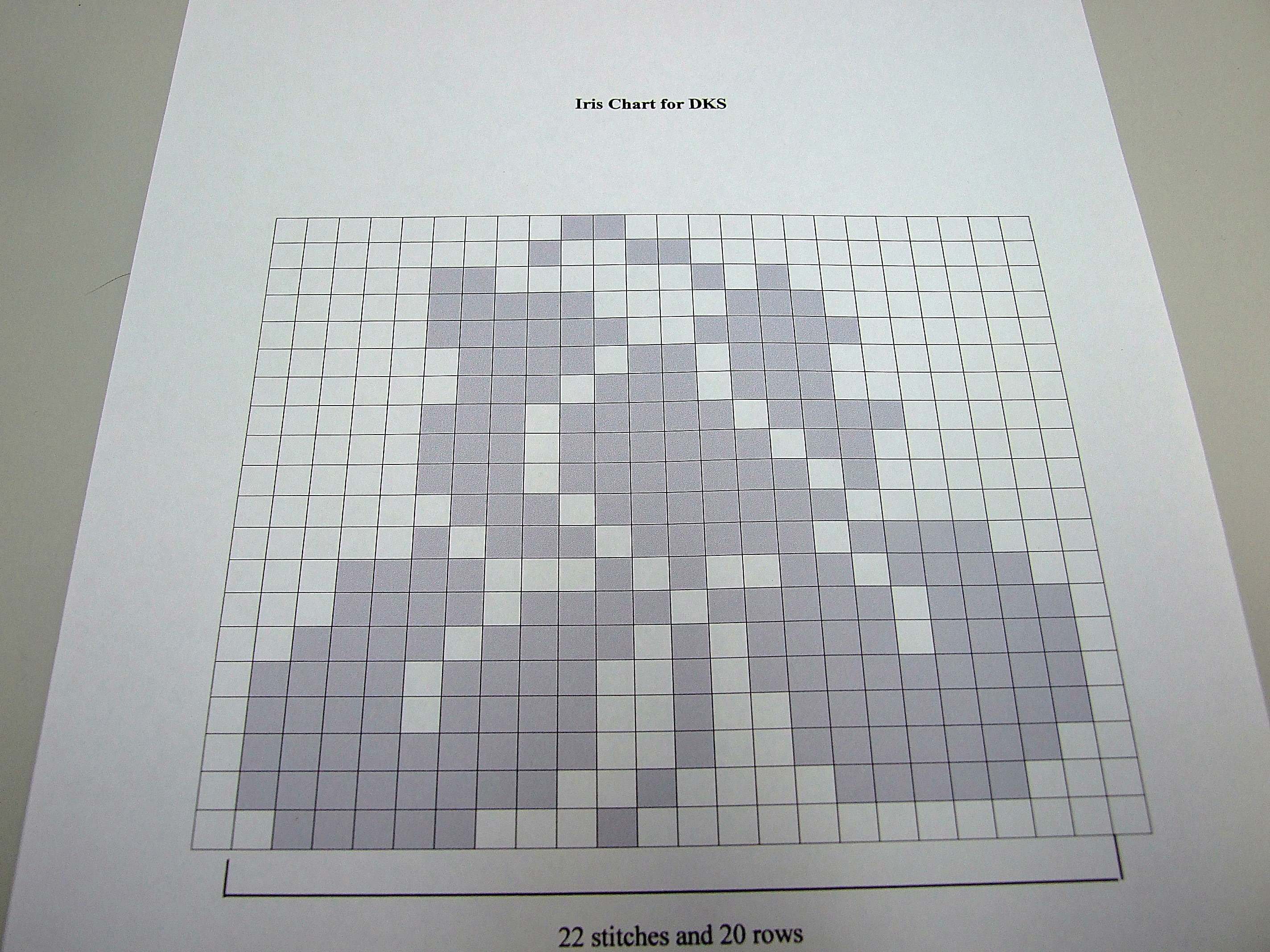
Here we go again!    So this time I used my “table tool” in Publisher, 20 rows and 24 columns.  I clicked on each cell, then hit the line option button and selected,”hair line.”  Once I had all my cells outlined, I saved it as “blank for charts,” etc.”   Next, I took a picture of an Iris, enlarged it, put it in the “back layer” behind my grid, and started pointing and clicking the grey I had selected into the appropriate cells.  Here is the results.

Once done, I was inspired to do a few more.  Feel free to up load and use them as you like. I had great fun making them.

I will also upload them to my Free Charts and Patterns page so that you can access them later at your convenience.  All these charts were designed with the toe area in mind, although you could use them in the cuff or leg area as well.

Charts for DKS

Read Full Post »

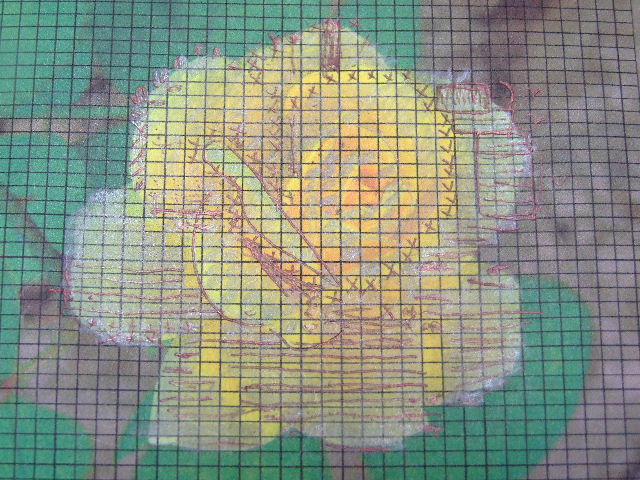
Last night I finally finished charting a picture of the yellow rose I grew in my garden last year, and thought I might share the process with you.

Some of you probably already know how to do this, but for those of you who don’t, I’ll do my best to illustrate it.

If  you are viewing this site, I know you have a computer.  And, as most computers come with  software that allows you to draw simple shapes(I use Microsoft Publisher), then you have the means to make these simple charts.

Below is a picture of  a chart made for the gauge I knit when using sock yarn and a #1 needle.  There are 9 stitches, and 12 rows, to one square inch.  The chart is created by opening your art program and  selecting the “square” in the shapes. Draw your square.  While it is still “selected” go to the top task bar and click on the line thickness icon.  Select “hairline.”  Now you can copy and paste as many boxes together to represent the gauge of the project you are working on(I did 9 across and 12 down). Once you have the number of boxes neatly arranged, take the “select” tool pointer and draw a square around the entire group, then click “group.”  Now line that unit up with your side and top rulers to form a one inch square.  It should now look something like the picture below.  The camera angle on this makes it look oblong, but, trust me, it’s square.  You will also notice that your squares have turned into rectangles.

SAVE this unit in a separate file, maybe something like “my 9 by 12 knitting template.”  Now click on the unit and copy it.

Having copied the template  we will form the complete grid for our project in a NEW FILE.  Paste the template as many times as needed to form the size of grid desired.   When finished, group it, and SAVE IT.  Why? So that you will have a CLEAR grid to start again on a different picture-you won’t have to DO IT AGAIN.  Ask me how I know?  No, don’t.

Be sure to name it, with the d1mensions-such as “my sock chart -9 by 12,” etc.

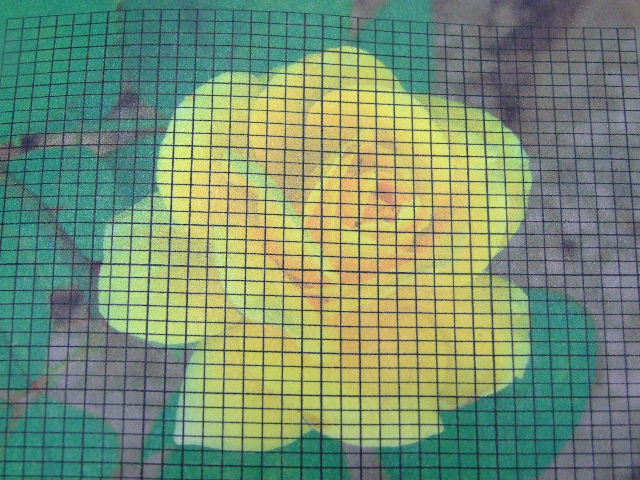
Next, copy the chart that you have just SAVED.  You can paste in a another file or just add a page to the file you are using.  In any case, put it on a page by itself.  Now you can use the  “insert picture tool”  to import the picture you want to chart.  Enlarge it as you wish, then in the task bar at the top select “arrange.”  Click on  “back. ” This will place the picture behind the grid.

Once that is done, you can print the page, take it to your table and start filling in the squares as you like.

Here you can see some of my pencil marks.  Next I will take it back to my computer, click on the squares I have marked and click the color I want to fill them in with. I chose gray.

Here’s the finished product.  You will notice that I also added orange lines at  intervals.  I do this before I start filling the color, as it helps me keep track of where I am.  When I am pleased with the results, I SAVE it to my Knitting Chart Collection.

Have fun!

Have questions, contact me.

Knit -tweaker

PS.  Another alternative is to purchase a software program called Pattern Maker Pro(PM).  It is a cross stitch program but works well for my knitting projects.  The key is to “size” the fabric with the gauge you want to use.  When you set the stitch and row counts the chart grid changes to rectangles, thus what you see is what you get. Check it out.  I now have PM Professional.   I love it!

Read Full Post »

I don’t know about you, but I have had a ball this past year clicking on all the wonderful knitting websites.  I have downloaded great patterns, and lots of tips, tricks, and just plain great ideas.  I love trying them all out, and making samples to keep in my knitting binder.

Now, I’m sure there are many of you who know how to do this already, but humor me,  I just love writing up tutorials.  It keeps me out of trouble.  So today, I am offering you one I just finished on short rows heels.

First off,  let me show you the result of my experiment.

This heel sample turned out to be the smoothest short row heel of my collection.  Yes, I make them up for fun.  I’ve tried every wrapped one, and now I’m  into the unwrapped.  But so far, for me, this one works great. But one never knows, there may be another lurking just a click away.

Here it is!  Give it a try!

j’s shortrow tutorial

Read Full Post »

« Newer Posts